Run Your Day
Like a CEO.
BizRoutine is the AI productivity companion for executives: set your daily Big 3, automate your routines, track goals and OKRs, and get AI-powered CEO reports, all calibrated to your recovery.
Why BizRoutine?
Your Big 3, Every Morning
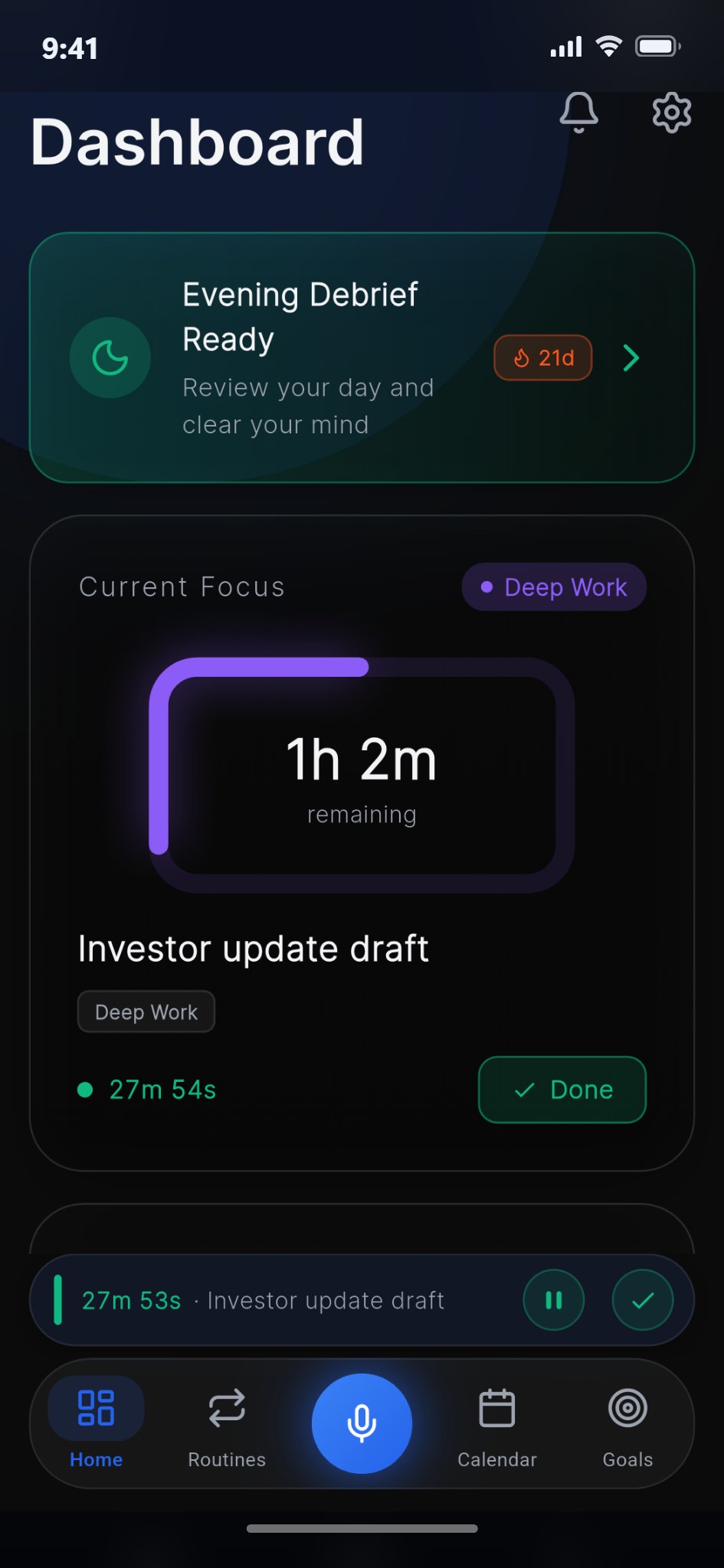
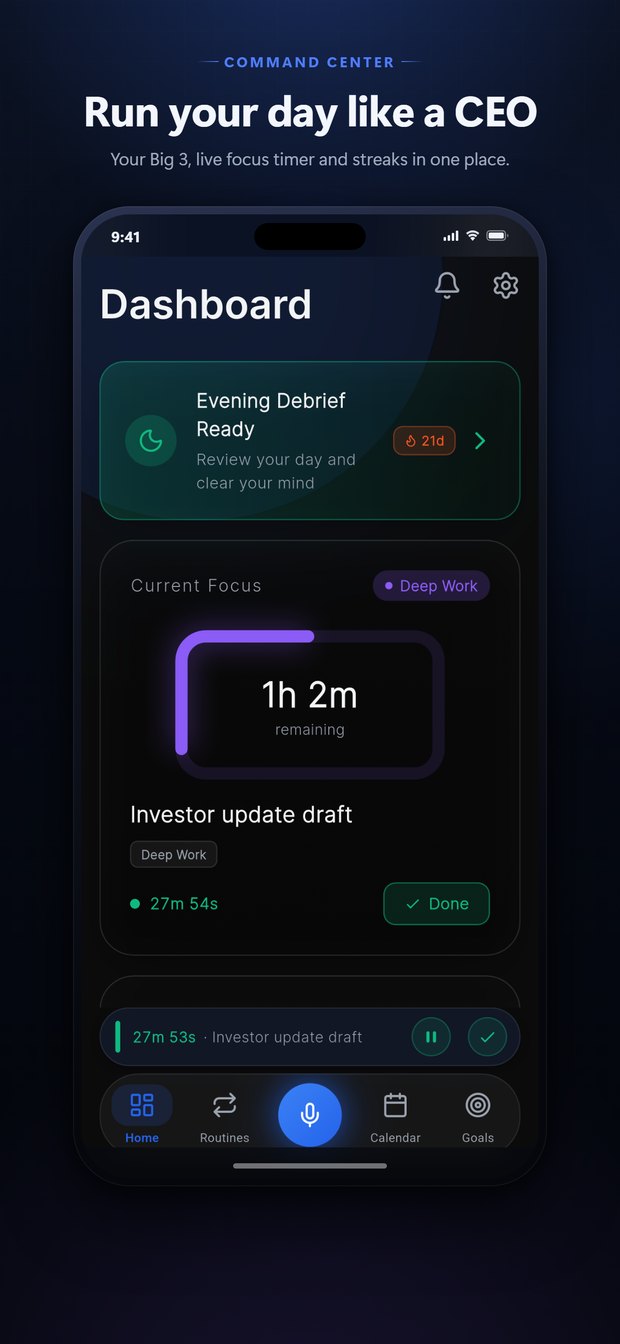
Start each day with a Morning Briefing that helps you lock in the three priorities that actually move the needle, then hold yourself to them.
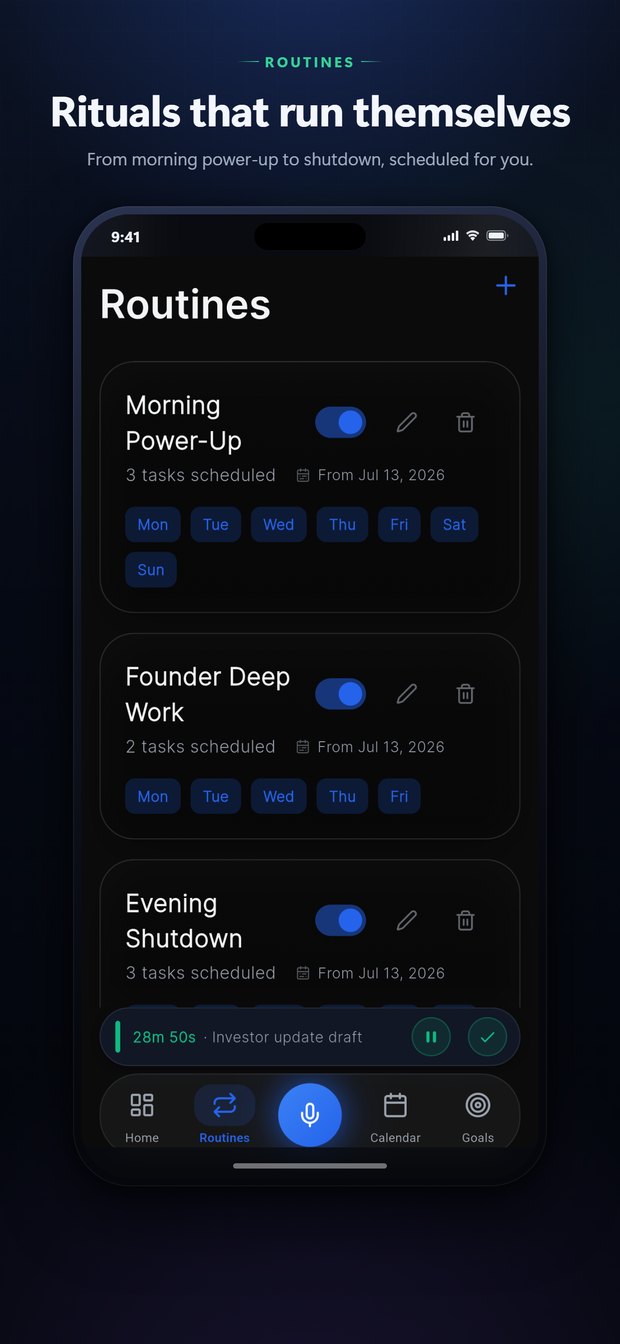
Routines on Autopilot
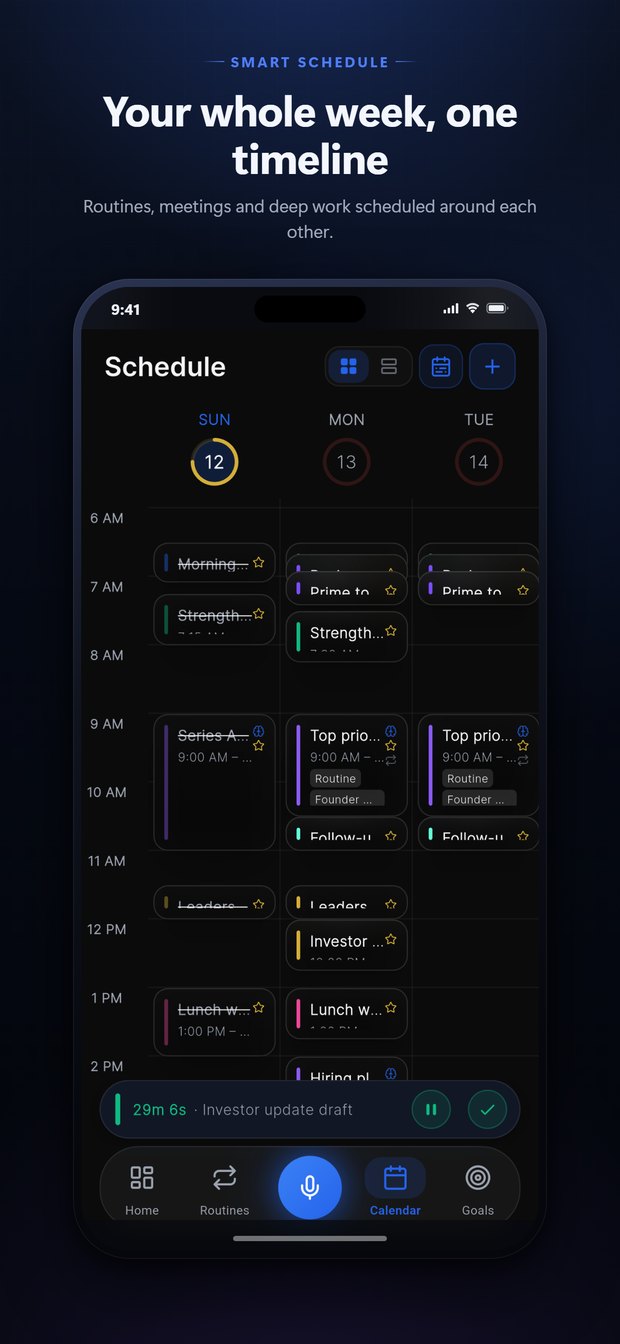
Build recurring routines once and let them populate your schedule automatically. BizRoutine tracks your adherence so good habits actually stick.
AI CEO Reports
Get AI-powered morning and evening debriefs plus a weekly CEO Report that turns your week into clear, actionable insights, like a chief of staff in your pocket.
Smart Calendar
Plan your day on a clean timeline, sync with Google Calendar, and let BizRoutine intelligently reschedule conflicts and missed events for you.
Recovery-Aware
BizRoutine reads your recovery from health data to ease up your schedule on depleted days and push deep work when you're primed, keeping burnout in check.
Goals & OKRs
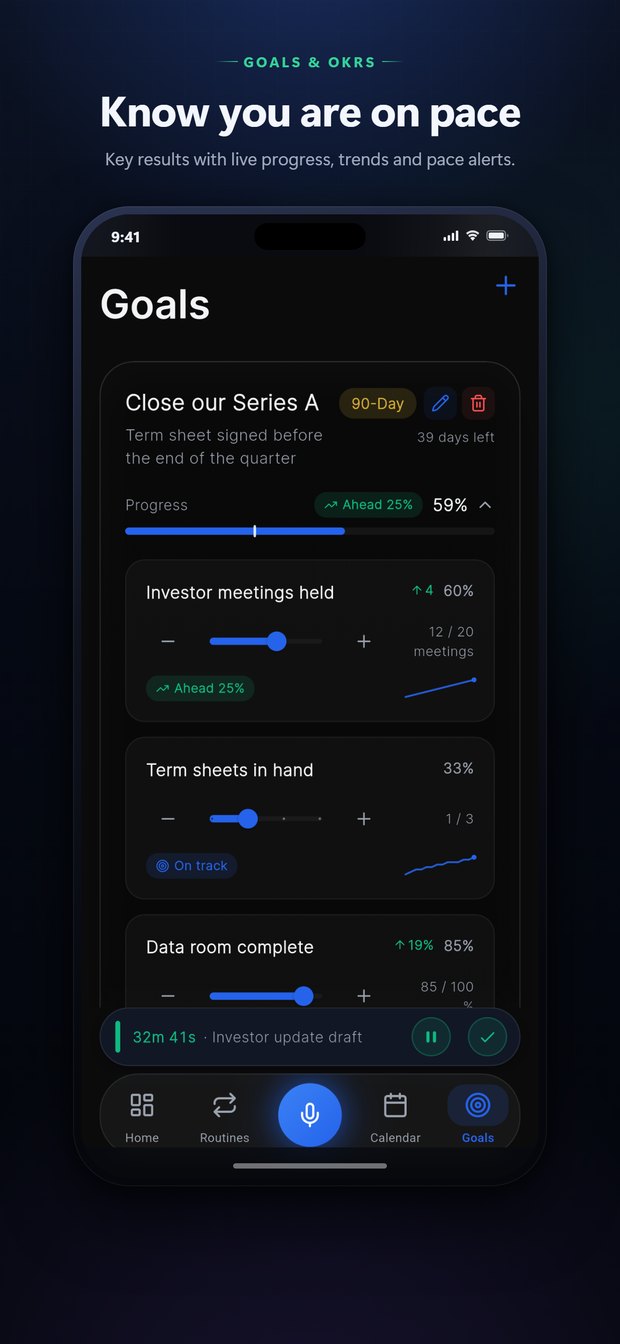
Set ambitious goals with measurable key results, track pace against your target date, and watch real progress build with every focused session.
Peek Inside
A refined, dark-mode interface built for people who run their day on purpose.
Support & FAQ
What is the "Big 3"?
How do the AI CEO Reports work?
What does BizRoutine cost, and is there a free trial?
What happens to my data?
Do I need an Apple Watch or fitness tracker?
Do I have to use the AI and voice features?
Does BizRoutine sync with my calendar?
Which devices does it run on?
More from Snorlytics Studio
Snorlytics
Advanced snore detection and sleep analysis, processed privately on your device. Sleep better, snore less.
Vouchet
Your smart, secure vault for vouchers, gift cards, and coupons, with expiry alerts so you never miss a deal.